
You take care of your practice. Appointomat takes care of the calendar.
Confirmations and reminders go out on their own, and a canceled hour automatically goes to a patient on the waiting list. You decide when new patients can book.
Available in Poland today. Prices are in Polish zloty.

The 15:00 visit is canceled. The freed hour goes to a patient on the waiting list, who is the first to accept it.
What Appointomat does for you
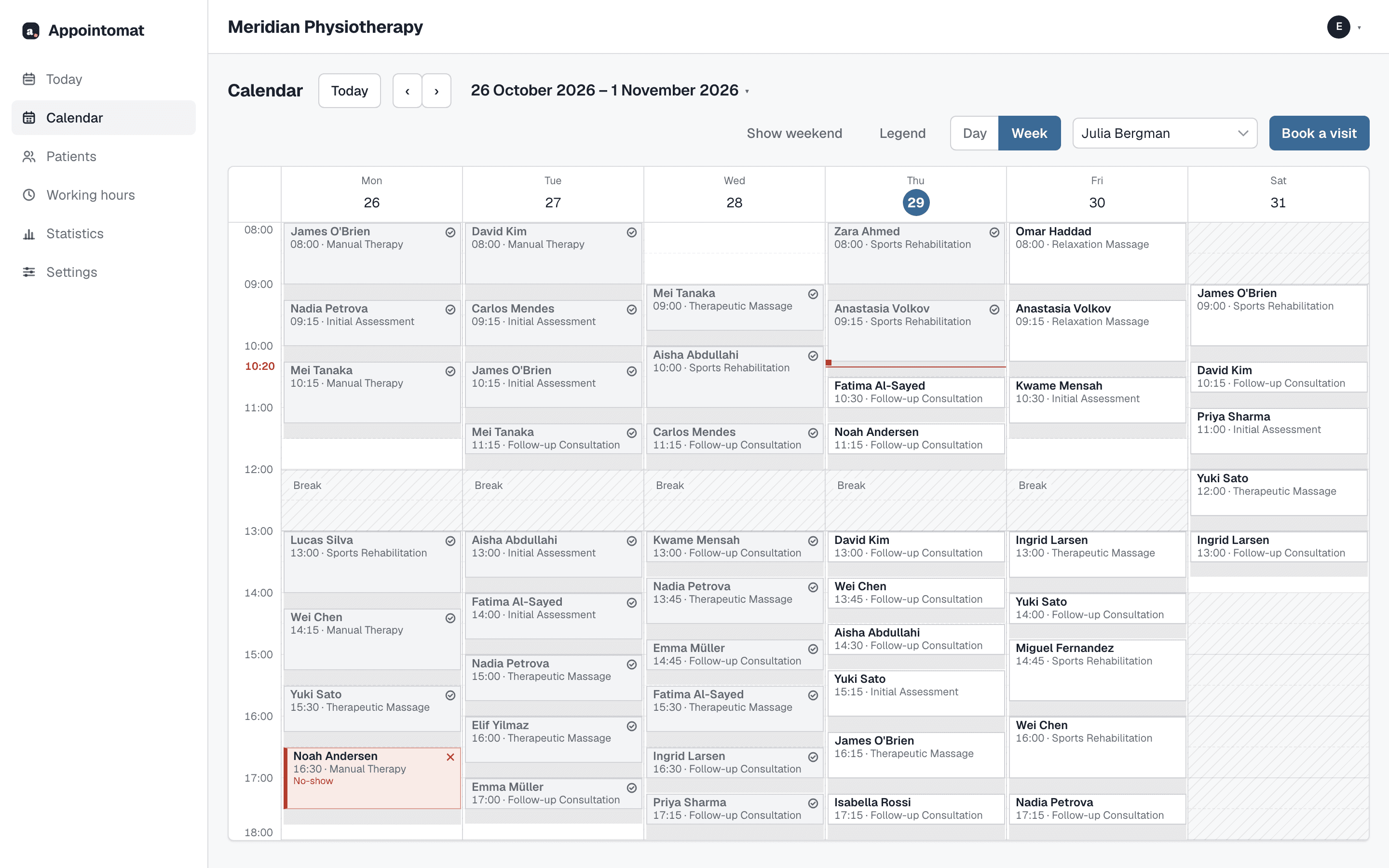
A day and week view, a patient record, services with a price and export to file - what you expect of a calendar. On top of that, four things Appointomat does for you.
New patients online: not at all, in chosen hours, or always
Your own patients and the waiting list use every working hour. Separately, you say when somebody new may book - only Tuesdays 16:00 to 18:00, for example - or switch it off entirely, and the booking page offers the waiting list instead.
Read more
A booking page at your own address
Public and not hidden from search engines, so the link can go in your Google Maps listing. The patient creates no account and installs nothing, and a new patient confirms the booking with a code sent by text or email.
Read more
Confirmations and reminders that send themselves
The reminder by SMS, the confirmation by email - both go out on their own. The patient reschedules or cancels in one tap - and confirms too, if you ask them to - and installs nothing, and the answer goes straight back into the calendar.
Read more
A waiting list that asks on your behalf
After a cancellation the hour goes out to the people on the list: in order, with a deadline to answer, and in a wider wave the closer the visit is. The first answer wins and the rest hear the same day.
Read more
From a new account to the first booking: about half an hour
You can do it in stages. The wizard asks three questions, and the rest you set up on the screens you will be opening every week anyway, so you learn them as you go.
Create an account
Email and password, then the name of the practice and the address your booking page will live at.
Enter hours and services
Working hours once for several weekdays at a time, and separately when new patients may book. A service is a name, a length and a price.
Publish the booking page
It works immediately, at your own address. You put the link in your Google Maps listing, on your own site and in your text signature - and from the first appointment onwards, confirmations send themselves.
40 PLN net per month
For one practitioner. Unlimited visits, SMS reminders for up to 200 visits a month.
Free · 0 PLN For one practitioner. Up to 50 visits a month, email reminders.
You know who is behind it, where the data is and what gets built next
You write to one address, and somebody who knows the code answers.
- Patient data stays in the European Union - the database in Belgium, text messages from Ireland, email from France - and the data processing agreement is published in full. Export at any time, without asking.
- The plan is public and it has dates: what already works and what gets built next. Practices from the first year move that order - a call once a month about what gets in the way.
The questions that come up most
Is this another marketplace where patients will find me?
There is no directory, no ranking and no commission per booking, and there never will be. But new patients can arrive this way: your booking page sits at your own address, it is public and visible to search engines. You put the link in your Google Maps listing or on your own site, and somebody who finds you there books without calling. They come through your channel, so nobody can sell them back to you later.
I already have a records system. Do I have to give it up?
No. You can stay on your system and move only the schedule here - Appointomat then reads busy time out of that calendar, so it cannot book you into a taken hour. A physiotherapy practice in Poland can also keep its medical record here: you ask for it in the account settings. Reporting medical events to P1 is not there yet, so until it is, the system that sends them is still needed.
Do I have to publish the whole week?
No. When you work is one setting, and when new patients may book is another. You can take no new patients online at all, open chosen windows for them, or every free hour. Your own patients and the waiting list always get all of your working hours.
Does the patient have to install anything or create an account?
No. Everything happens through a link in a text or an email: confirming, rescheduling, canceling and accepting an offer of a freed hour. The link covers one appointment and stops working with it.
How long does it take to set up?
Working hours and services take about twenty minutes, because you enter hours once for several days at a time. Patients come in from a CSV file, if you can get one out of the system you use today. After that you have a booking link and can send it to anybody. The whole walkthrough is on "How it works".
How does Appointomat handle the GDPR?
Patient data belongs to the practice, and Appointomat processes it on the practice's behalf under an Article 28 GDPR agreement accepted when the account is created. It stays in the European Economic Area - the database is in Belgium - and the list of sub-processors is published. You export each patient with their appointments to a file, or erase them with a separate button, whenever you like, including if you leave.
Start with your own week
Create an account, enter your working hours, and decide when new patients may book. The first 30 days are free, with no card.