
New patients book themselves - into the hours you choose
Every practice gets its own address, such as appointomat.com/your-practice, chosen when the account is created. The page is public, and with a short description it goes into Google too. Paste the link into your Google listing, your own site or your Instagram bio, and a patient picks a service and an hour - no call, no account and no app.
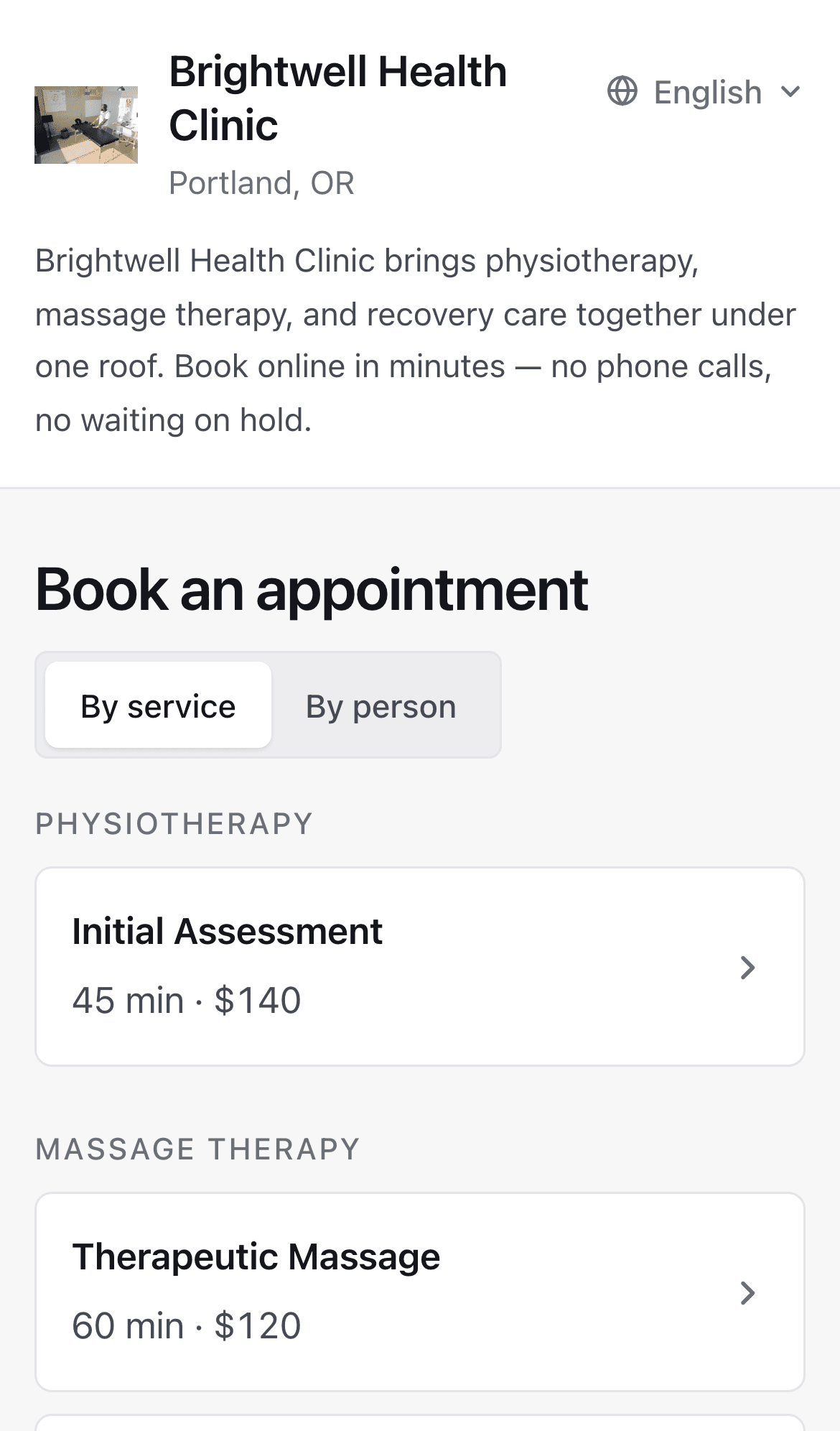
What a patient sees
Only the hours open to new patients
A new patient sees the hours you open to them - all of them, chosen windows, or none. Outside those they see neither a free slot nor a note that something is taken. You set it next to your working hours, separately for each practitioner.
Busy time from your other calendar
If you keep a calendar in your records software or in Google Calendar, Appointomat reads its busy time every 15 minutes through an ICS address. An hour taken there does not appear on the booking page, and only the time of each entry is stored - no title, no description.
Bookings confirmed with a code
A new patient enters a code sent by text or email, depending on how the practice is set up. So bookings made with someone else's or made-up details do not reach your calendar.
Rescheduling and canceling without a call
Right after booking, the patient gets a confirmation with a link to that one appointment. The same link lets them reschedule or cancel it, and your calendar changes on its own.
Your practice, your link
New patients can arrive this way, and they arrive through your channel. The page shows your practice alone - no list of practices nearby and no commission per visit.
The link is yours. You put it where people already look for you: your Google listing, your own site, your door. If you ever stop using Appointomat, the places where patients find you stay yours.
Questions
Do I need my own website?
No. The booking page works on its own, at its own address, in any browser - including an older phone on a weak signal. If you have a site or a Google listing, paste the link there and that is the whole setup.
Will patients find me on Google?
They can - by your practice's name, or by a service and your town. The page goes into Google once you add a short description in settings, and the title shown in search results is built from your services and your city. It's also worth pasting the link into your Google listing - a patient who finds you on Maps goes straight from there to booking.
Will a patient see my whole week?
A new patient - only the hours you open to new patients. If you take no new patients online at all, the page offers them the waiting list instead. Your own patient, rescheduling through the link in a reminder, sees every free working hour.
Is my phone number on the page?
Only if you add it in settings - then it shows at the top of the page, next to your practice's name, so a patient who can't finish online can simply call. Without it, they find your number where they always did - your Google listing, your own site, your door. The telephone stays an ordinary way to book.
Can somebody book an hour and not turn up?
A new patient confirms with a code sent by text or email, so bookings made with random details do not get through. No-shows are a separate matter: the counter on the patient record works today, while a booking limit after repeated no-shows and a hold on the card are on the roadmap, marked as not working yet.
Start with your own week
Create an account, enter your working hours, and decide when new patients may book. The first 30 days are free, with no card.