
With a second person in the practice, the schedule gets questions it did not have: who sees whose visits, who may change what, which hours are whose, and what the patient picks first - the service or the person. Most of them have one good answer, and a few bad ones that look like shortcuts.
A practitioner is a calendar
Every person who sees patients has their own calendar, their own working hours and their own setting for new patients. A person who does not - the front desk - signs in but has no calendar.
In Appointomat you add people under "Settings → Staff → Add staff member". One field decides everything: "Sees patients". Checked - a calendar is created and takes a seat in the plan. Unchecked - it is a sign-in account, with no calendar and no seat.
There are as many seats as the plan gives: Solo one, Team three, Clinic six - 40, 80 and 150 zł net a month, with an SMS reminder before 200, 400 and 800 visits a month respectively; past the limit reminders keep going by SMS for a while, then by email, and nothing is blocked. An inactive person takes no seat - somebody coming back in six months does not have to be removed.
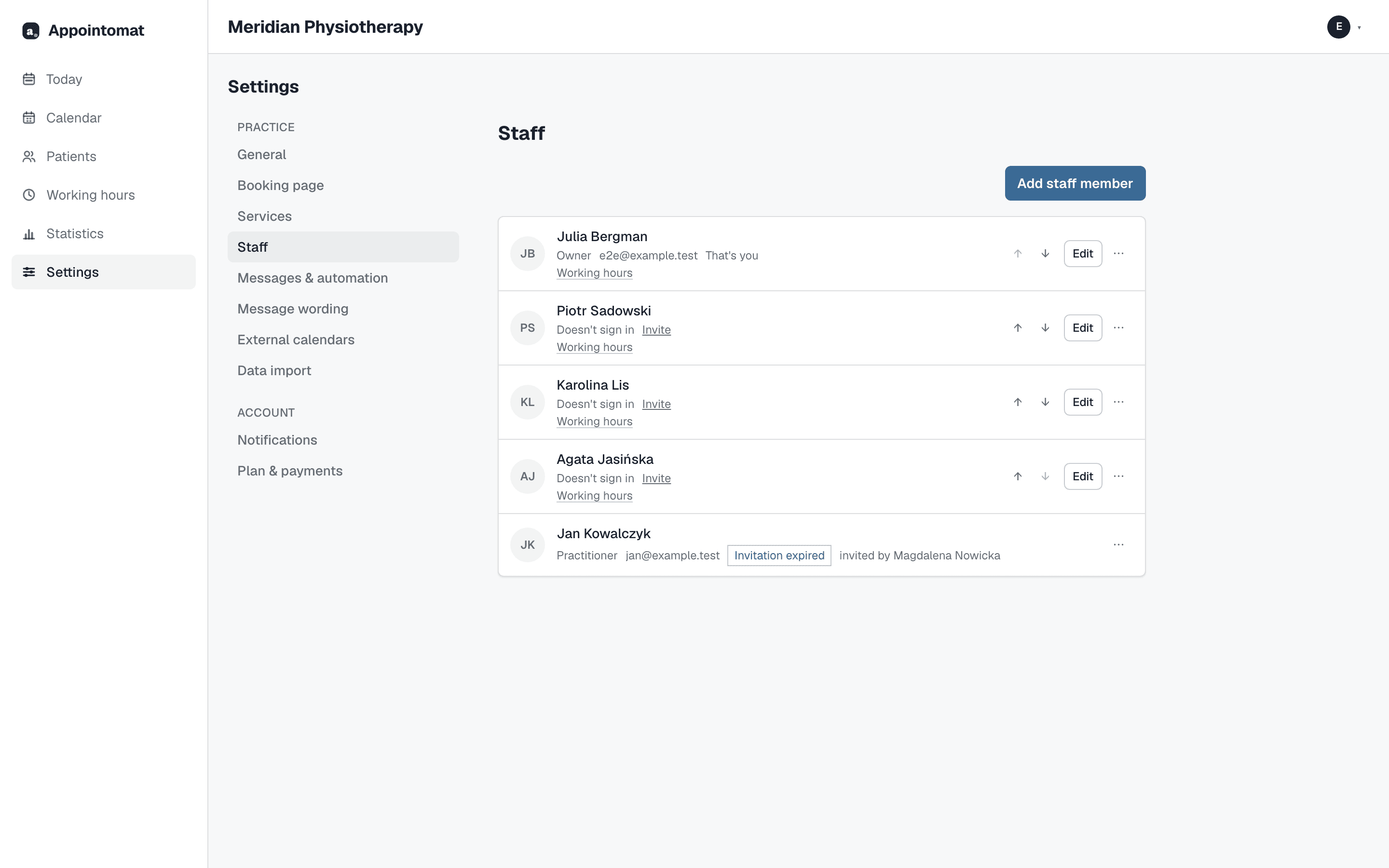
Who may do what
Everyone signs in with their own account, at their own address, with one of three roles:
| Role | What they can do |
|---|---|
| Owner | Everything, including the team, settings and billing |
| Practitioner | Visits and patients, plus services and working hours |
| Front desk | Visits, patients and the waiting list; no changes to services or hours |
A shared password for the whole practice is tempting and bad for two reasons: nobody knows who entered what, and when somebody leaves it has to be changed for everyone. Separate accounts are revoked in one move, without touching the rest.
Each person's hours separately
The "Working hours" screen has a practitioner picker, and below it that one person's week. Each has their own hours, breaks, and their own answer to the new-patients question: one may take new patients in every hour, another only on Tuesday afternoons, a third not at all, because their week is full of regulars.
A schedule that differs week to week - week A and week B - is set as "alternate two weeks" instead of being corrected every Monday.
Somebody who sees patients once a week
This is the most common case in a small practice: a practitioner who comes in on Thursdays from 15:00 to 19:00, or only every other Saturday. The schedule needs nothing special for them - you enter hours for that one day and that is all. The booking page shows only those hours next to their name, the calendar's day view gives them a column of their own beside the others, and on the other days they are simply not there.
Every other Saturday is the same two-week mechanism. Somebody who comes for two months a year is inactive for the rest of it and takes no seat in the plan.
Services: who provides what
Every service has a "Who provides it" field. A patient who picks a massage on the page sees only the people who do it, and only their free hours. They can also start from the other end - the "Practitioner" tab on the booking page - and pick the person first, then a service from the ones that person provides.
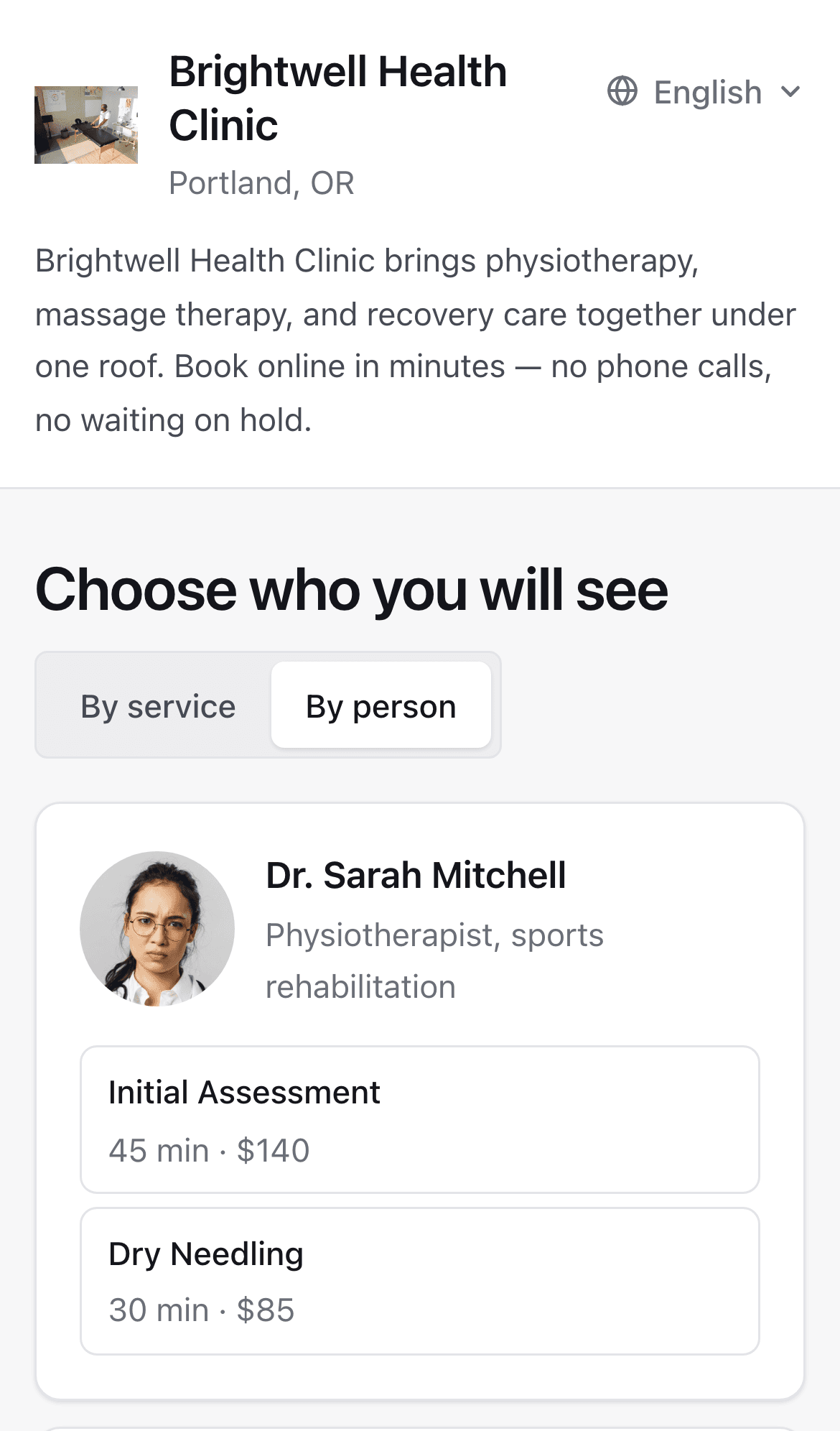
The order of people on the page is the order under "Team" - you move them with the arrows. Each has a name for the page, one "What you are" line and a photo. Nobody is ranked by who has the most free hours; you decide who comes first.
What not to do
One calendar for the whole practice, with the practitioner's name in a note. Reminders, the waiting list and the booking page all work off a particular person's calendar, and all three then get wrong who is free.
A "front desk" account with the owner role, because it was quicker. The front desk role has everything booking needs; the rest is switched off so that changing the whole practice's working hours is not one accidental click.