
The post on moving says never to run two calendars at once. That is true when you are moving the practice. But there is something else: a trial. Not two calendars for the same visits, but one hour a day with one job - taking somebody new from the internet - while everything else stays where it is.
After a month you know how many people booked, whether they showed up, and whether you want more. That decision is easy then, and it is not easy today.
The rule: the old program stays the calendar
You move nothing. Patients, visits, the phone - all as before, in the old program. Appointomat gets one thing: an hour a day in which somebody new can book themselves.
So that nothing gets double-booked, Appointomat reads busy hours from your calendar. Most programs can send visits to Google or Apple Calendar, and that calendar in turn has a private iCal address you paste once. From then on, hours taken in the old calendar are taken here too, and nobody from the internet gets them.
Two caveats, both easy to remember:
- The read is not instant - busy hours refresh every few minutes. So the trial hour should not be the one you are filling by phone right now.
- The other side does not read. A visit booked online is in Appointomat, not in the old program. Hence the rule for the trial: that one hour a day is never booked by phone. It belongs to the page.
If your program cannot send anything to an external calendar, the trial still works - that hour just belongs to the page unconditionally, because Appointomat has no way of knowing something is in it.
Four settings
1. Working hours - the whole week, as it really is. Not just the trial hour: the scheduler works out what is free from them, and cannot build the page without them. Five minutes.
2. One or two services - only those somebody new should be booking, usually a consultation. The duration, plus a break after the visit if you need one.
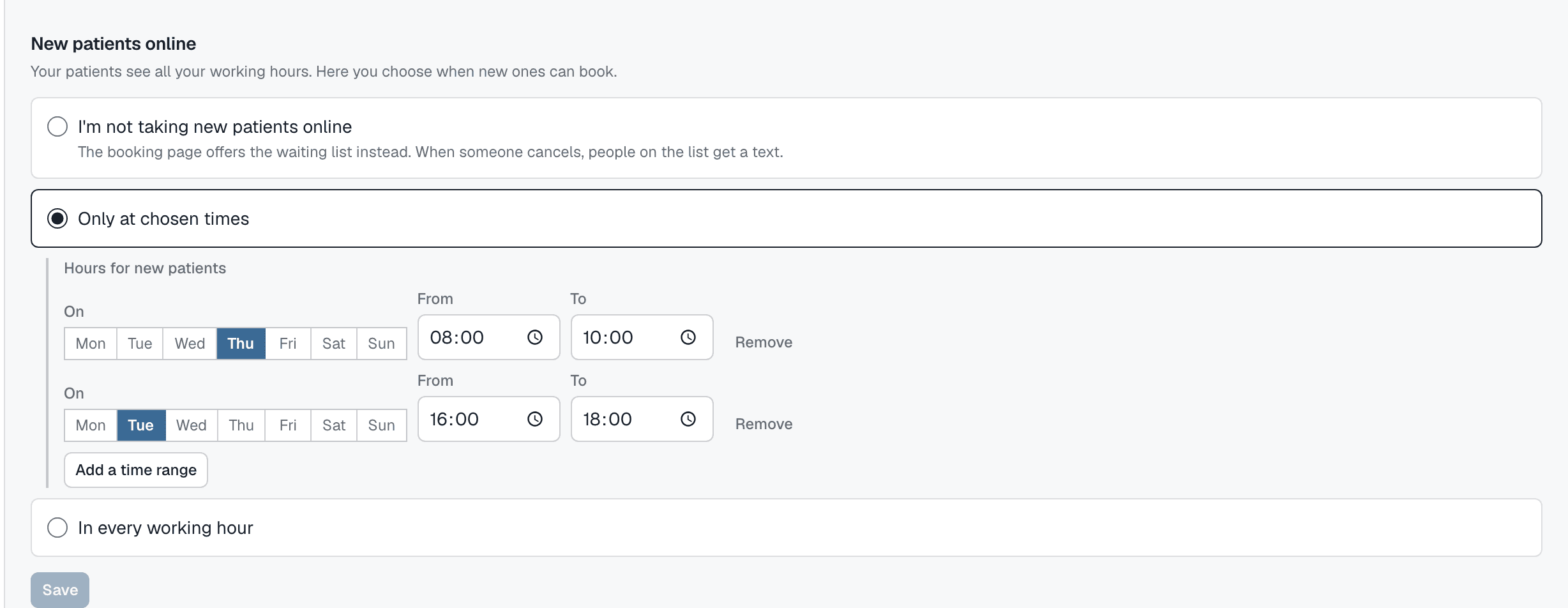
3. New patients online → Only at chosen times. On the "Working hours" screen, below the week. Add one time range, check the days, say Monday to Friday 16:00 - 17:00. The week is colored wherever somebody new can book. Everything outside that color is invisible to the page.
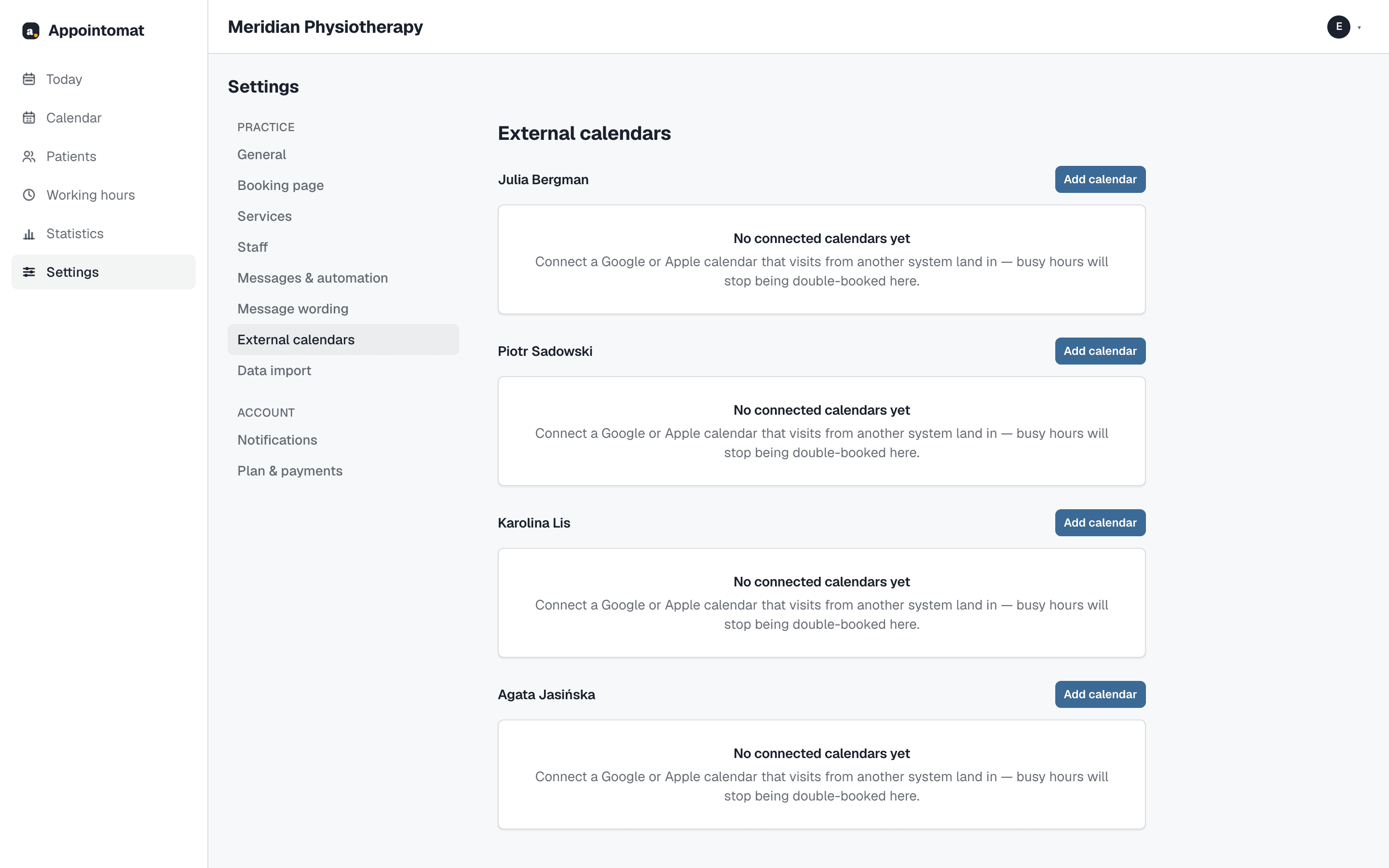
4. External calendar - "Settings → External calendars → Add calendar", a name and the private iCal address. The address is saved once and not shown again.
Finally "See your booking page" on the "Today" screen - or "Booking page address" in settings, with a "Copy" button. That address goes wherever new people look for you: your Google Business listing, your Instagram profile, the automatic reply to a missed call.
What somebody new sees
Your page with services and free hours - only those inside the range. They pick a time, give their name and a phone number or email, depending on what your page asks for, confirm with a code and get a confirmation. The visit appears in your calendar in Appointomat marked "Booking page", and the reminder before it goes out on its own.
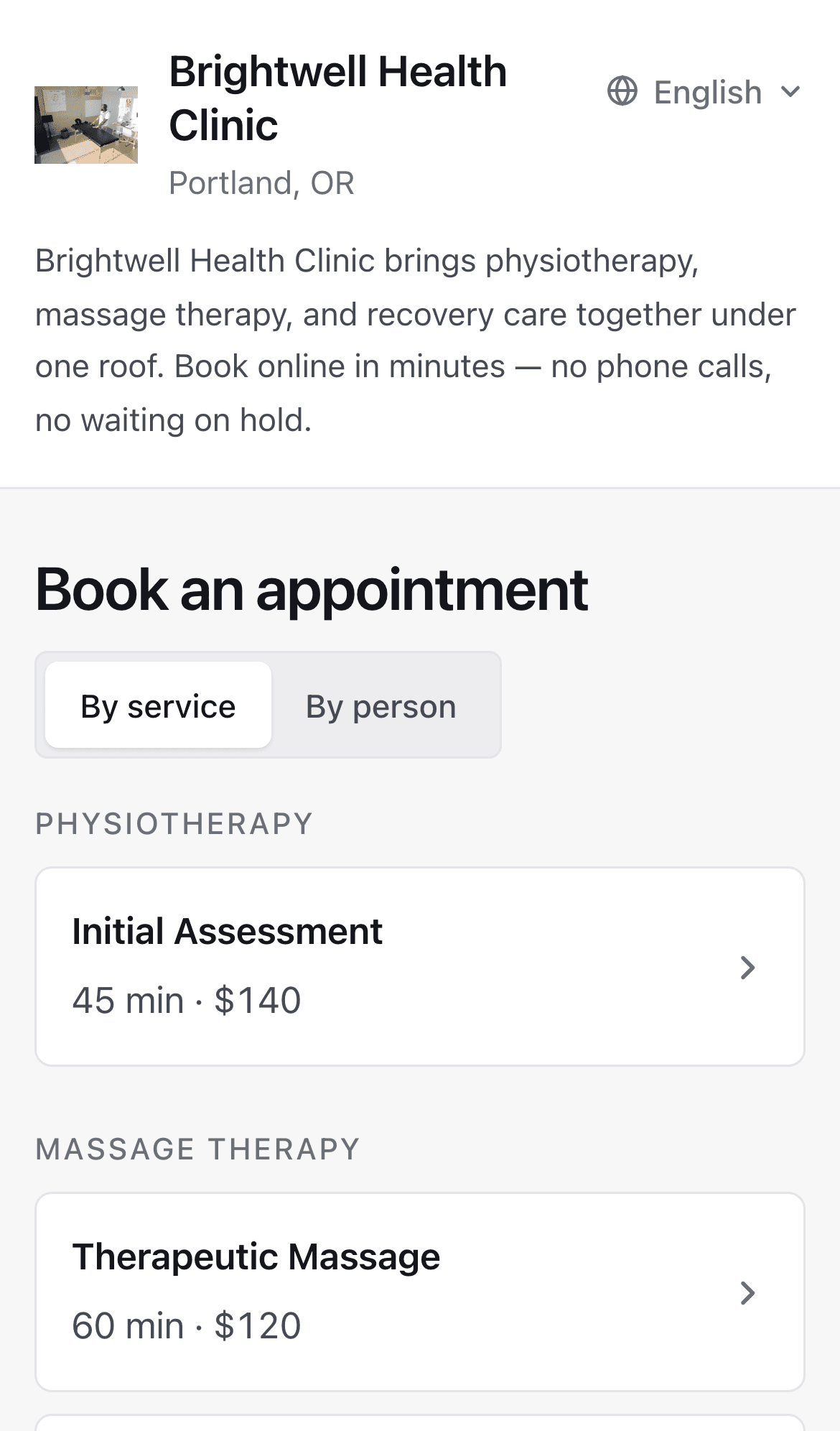
On days with no free hour inside the range, the page offers the waiting list instead - if you turn that on under "Settings → Booking page". It is worth picking the option where you review each request first: then nobody from the internet is offered anything before you have looked at them.
What to watch for a month
One place in the morning: the calendar in Appointomat, for that one hour. If one of your regular patients lands on the page and books through it, that visit will be there too, not in the old program. With one hour a day that is one glance; it is why the trial is an hour and not a day.
After a month
The "Statistics" screen shows how many visits came through the page and how many of them took place.
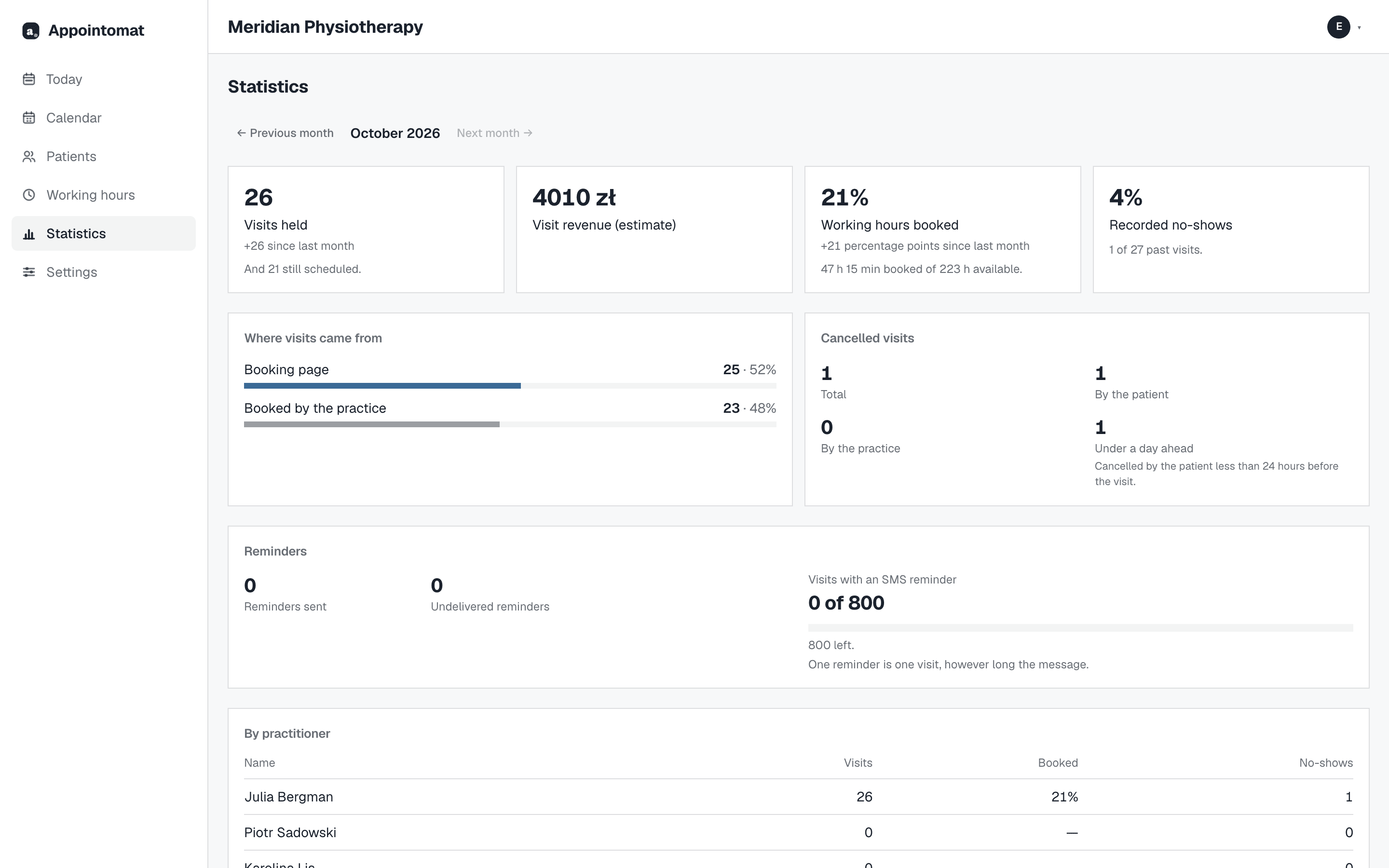
From there it is three roads, each a few seconds: widen the range, leave it as it is, or move for good - at which point the order from the post on moving applies, except the hours, the services and the page are already done.